
Blame
|
1 | # Translations |
||||||
| 2 | ||||||||
| 3 | LubeLogger supports UI Translations for ~95% of UI elements. |
|||||||
| 4 | ||||||||
| 5 | The following are not covered by translations: |
|||||||
| 6 | - Toasts(messages that pop up on the top right) |
|||||||
| 7 | - Sweetalert prompts(confirm delete dialogs, etc) |
|||||||
| 8 | - About section |
|||||||
| 9 | ||||||||
|
10 | ## How to Download Translations |
||||||
|
11 | |||||||
|
12 | 1. Login as the root user |
||||||
|
13 | 2. Navigate to "Settings" |
||||||
|
14 | 3. Click on the dropdown next to the Upload button |
||||||
| 15 | 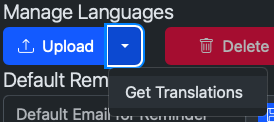 |
|||||||
|
16 | |||||||
|
17 | 4. Click on "Get Translations" |
||||||
| 18 | 5. The Translation Downloader will show up |
|||||||
| 19 | 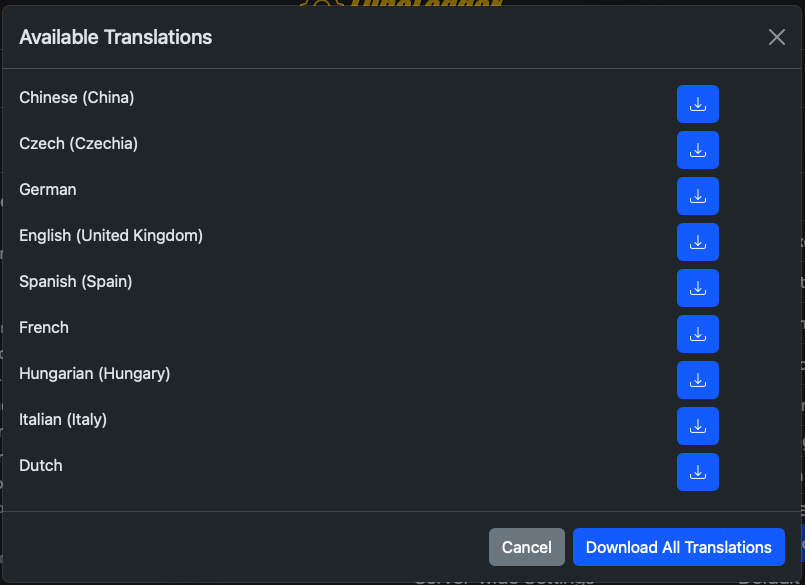 |
|||||||
|
20 | |||||||
|
21 | 6. You can download either just one or all translations. |
||||||
| 22 | 7. Select the language file from the dropdown to set it as your default language. |
|||||||
|
23 | |||||||
|
24 | ## Creating Your Own Translation |
||||||
|
25 | |||||||
|
26 | 1. Login as the root user |
||||||
| 27 | 2. Click on the Edit button right next to the language selector |
|||||||
| 28 | 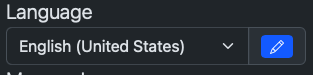 |
|||||||
| 29 | ||||||||
| 30 | 3. The translator editor will show up |
|||||||
| 31 | 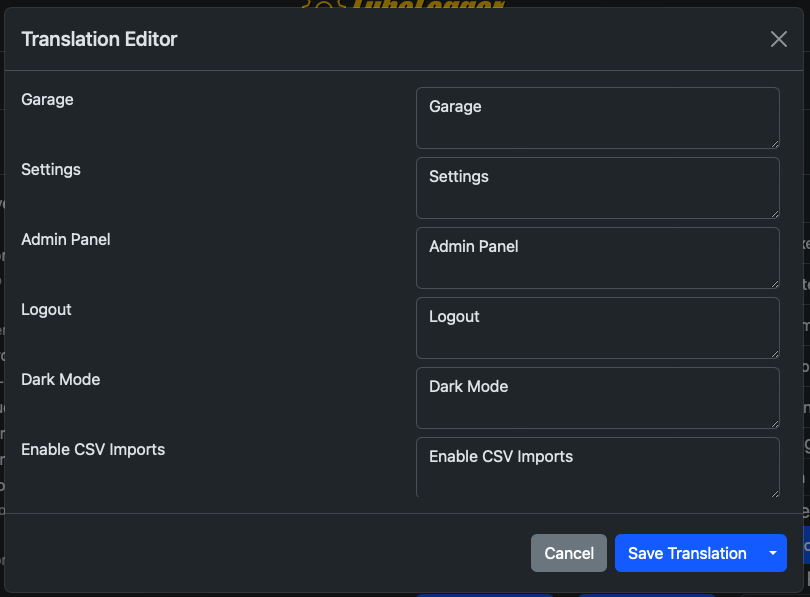 |
|||||||
| 32 | ||||||||
| 33 | 4. Modify the values in the right. |
|||||||
| 34 | 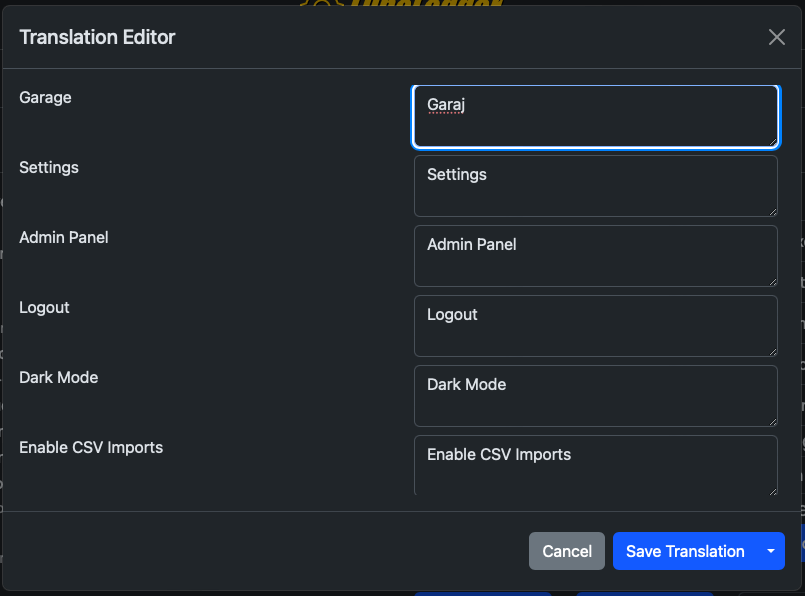 |
|||||||
| 35 | ||||||||
| 36 | 5. Click "Save Translation" |
|||||||
| 37 | 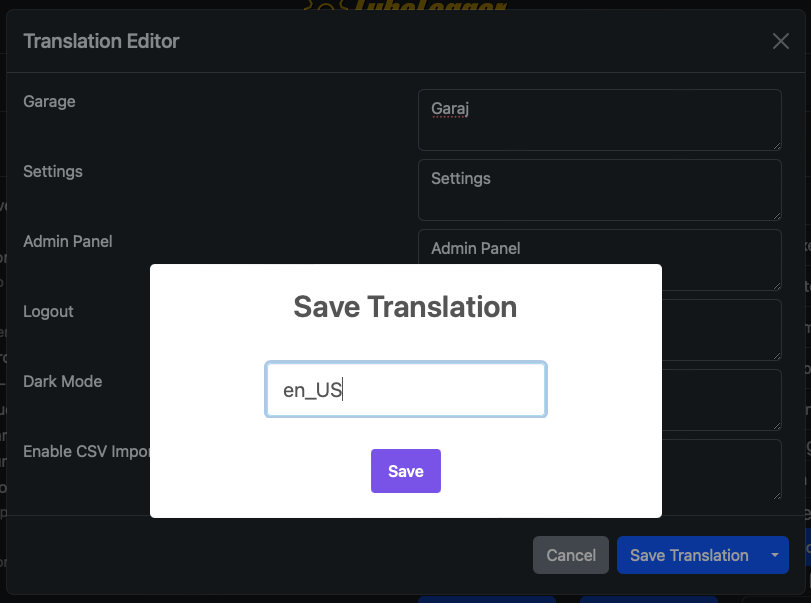 |
|||||||
| 38 | ||||||||
| 39 | 6. You will be prompted to name your translation, note that "en_US" is reserved |
|||||||
| 40 | 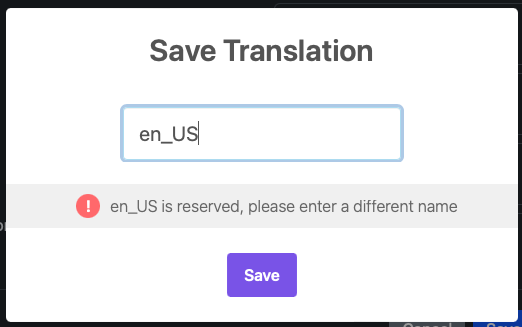 |
|||||||
| 41 | ||||||||
| 42 | 7. Select your custom translation from the dropdown |
|||||||
| 43 | 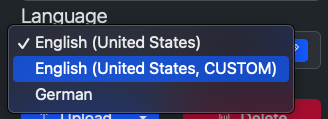 |
|||||||
| 44 | ||||||||
| 45 |  |
|||||||
| 46 | ||||||||
| 47 | ## Exporting Your Translation |
|||||||
| 48 | ||||||||
| 49 | 1. Click on the Edit button again to bring up the translation editor |
|||||||
| 50 | 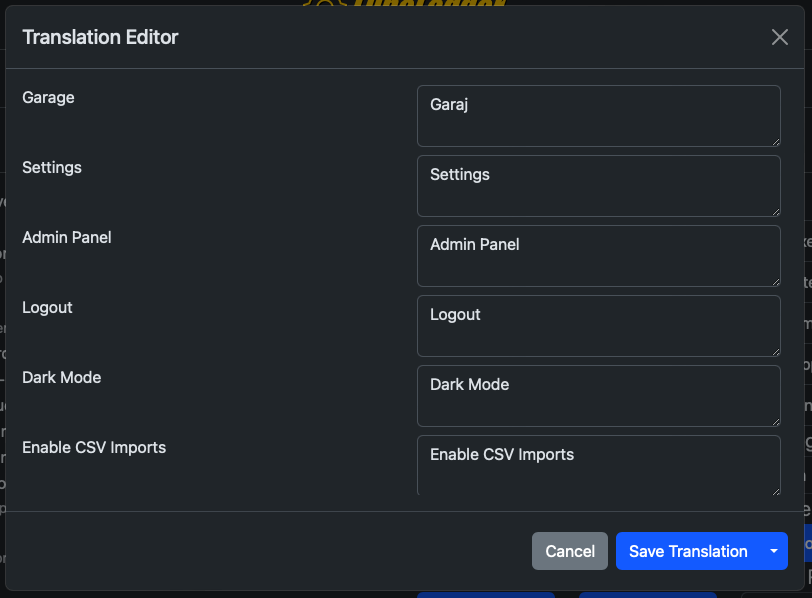 |
|||||||
| 51 | ||||||||
| 52 | 2. Click on the dropdown next to "Save Translation" |
|||||||
| 53 | 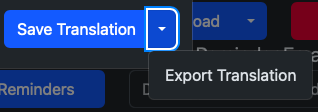 |
|||||||
| 54 | ||||||||
| 55 | 3. Click "Export Translation" |
|||||||
| 56 | 4. You should be redirected to a pretty-printed and ordered json file |
|||||||
| 57 | 5. Right click > Save-As to save the translation file |
|||||||
| 58 | 6. Follow the instructions outlined in the [official repository](https://github.com/hargata/lubelog_translations/) |
|||||||
|
59 | |||||||
| 60 | Translation efforts are coordinated via [this thread](https://github.com/hargata/lubelog/discussions/240) |
|||||||