
Blame
|
1 | # Replacing The LubeLogger Logo |
||||||
| 2 | ||||||||
|
3 | You can overwrite the LubeLogger Logo that is displayed in the Login and Home/Garage page. |
||||||
|
4 | |||||||
|
5 | To do so, navigate to the Server Settings Configurator and override both the Logo and Small Logo URL: |
||||||
|
6 | |||||||
|
7 | 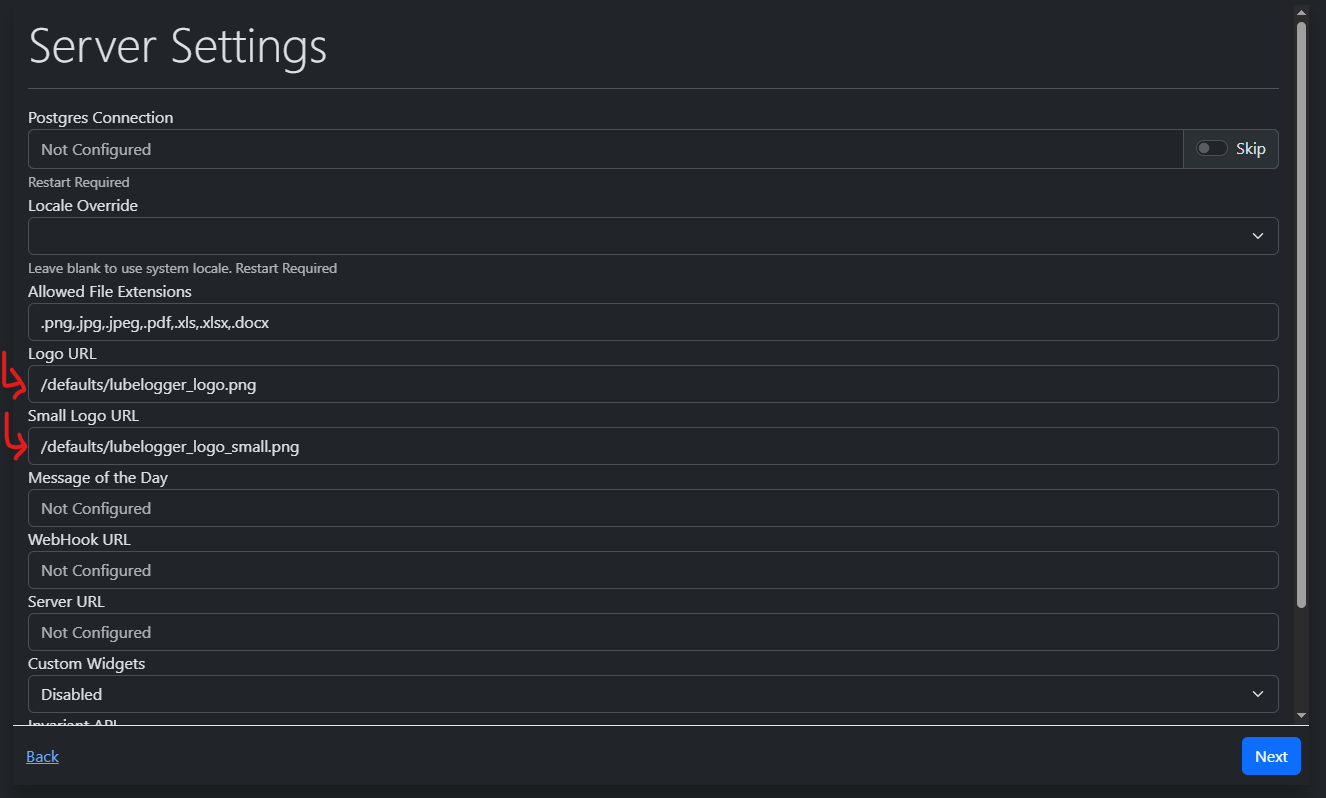 |
||||||
|
8 | |||||||
|
9 | Default size for the Logo is 204 x 48px |
||||||
|
10 | |||||||
|
11 | Default size for the Small Logo is 48 x 48px |
||||||
|
12 | |||||||
| 13 | ## Non-replaceable Locations |
|||||||
| 14 | - Logo in the About section in the Settings tab |
|||||||