Configuring Server Settings
The Server Settings Configurator allows you to configure server-wide settings such as Postgres, Locale, SMTP, OIDC, etc.
You can access the Server Settings Configurator from within the Settings tab or via /setup
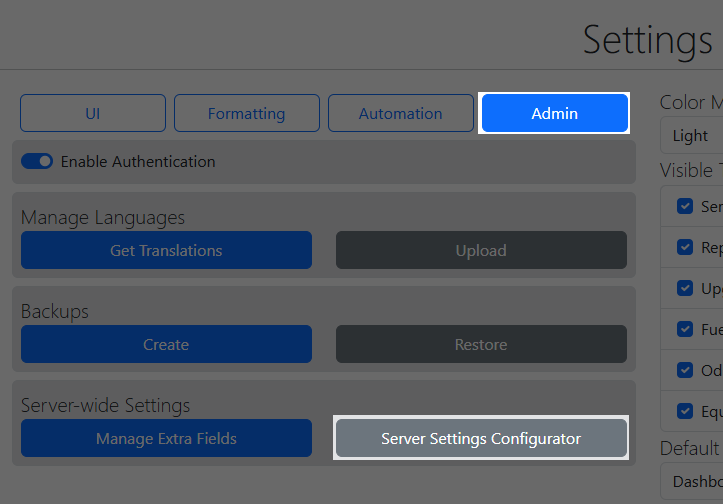
Skipped Settings
Server settings are saved in /data/config/serverConfig.json and are included in the backups created in the Settings tab.
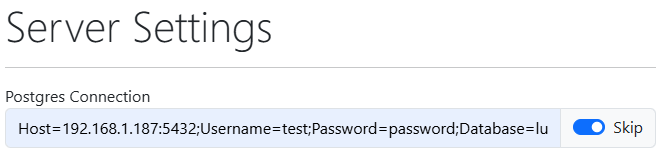
Certain settings such as the Postgres connection string, have a "Skip" option. Check this for settings that you want to be injected via Environment Variables and it will not save the specific setting within the serverConfig.json file.
Locale Overrides
This is the primary way of configuring locale in LubeLogger and serves as an alternative to injecting LANG and LC_ALL in the environment variables. It allows you to set a locale that LubeLogger uses along with a date override. This will allow you to mix and match different locales and their date formats i.e.: using en-DE locale for currency and number formats but you wish to use ISO-8601(yyyy-MM-dd) for date formats instead of MM/dd/yyyy
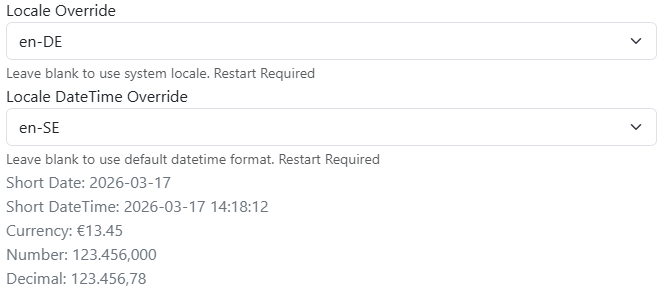
Changing locale settings will require LubeLogger to be restarted, for docker this means restarting the container, for Windows/Linux executable this means closing out the console app and re-opening it.
Common Date Locale Overrides
- en-SE provides ISO8601(YYYY-MM-DD) format while preserving English month names.
- en-GB provides (DD/MM/YYYY) format
SMTP
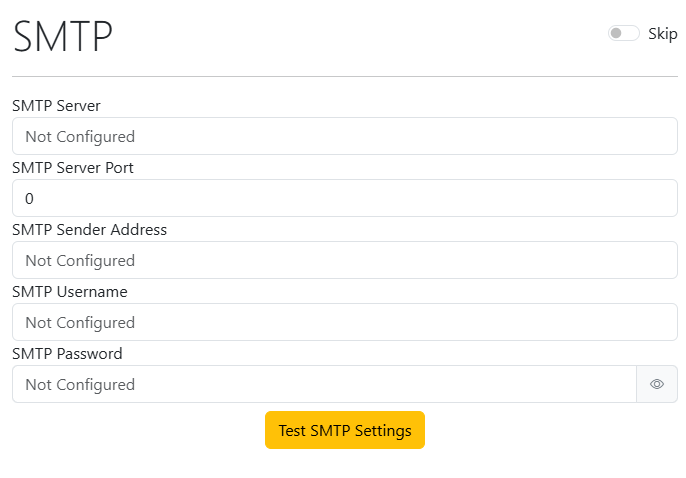
You can configure and test the SMTP settings within the Server Settings Configurator
Root User OIDC
You can enable OIDC authentication for the Root User in the Miscellaneous section of the Server Settings Configurator
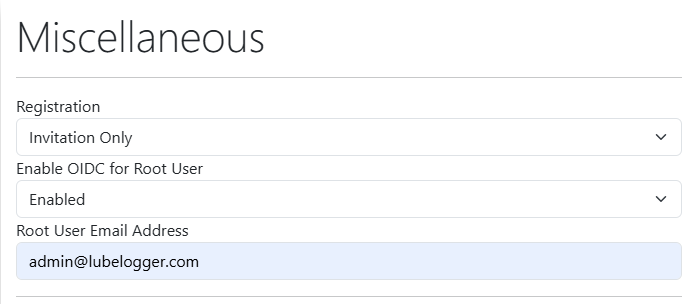
The Root User Email Address will be used to identify which email coming from the IdP will be used to authenticate the user as the Root User. This email is also used as the default reminder email address for when the /api/vehicle/reminders/send is called.
Automated Events
Automated Events allows LubeLogger to run automated events at a specific time or when there are reminder state changes.
Automated Events rely on a background service to check against the current time on a minute interval. The time set is based on the server's timezone without UTC conversion.
Events
-
All Reminders - Send an email containing reminders to the vehicle collaborators
-
Reminder State Changed - Send an email(or external notification service) when a reminders urgency has changed
-
Send Backup Email - Create a backup and send the attachment to the root user
-
Update Recurring Tax Records - creates new tax records for recurring tax records when they expire
-
Clear temp files - clears out the temp folder
-
Perform deep clean - clears out temp folder AND unlinked documents or thumbnails
Urgencies Tracked
This setting is used for the All Reminders and Reminder State Changed events. For All Reminders, it will only send out the email for reminders in the selected urgencies, for Reminder State Changed, it will send out notifications if a reminder's urgency was changed to one of the selected urgencies.
Use Email for Reminder for State Changed Notification
It is not recommended to enable this functionality if you are running LubeLogger on a low-powered server as it can cause performance issues.
External Notification Service
These integrations are only used for sending out notifications on reminder state change.
Placeholders:
{vehicleId} - id of the vehicle
{title} - the year, make, model, and identifier(license plate) of the vehicle
{priority} - priority mapping
{message} - description and urgency of the reminder
{link} - link to the vehicle's reminders page
{domain} - domain the LubeLogger instance is running on
Placeholders will be substituted on the URL, Header Values, and Body when the notification is sent out. All notifications are sent out as a POST method so a request body is always expected.
Sample NTFY Service Notification
Content Type: text/plain
Priority Mapping:
| Urgency | Value |
|---|---|
| Not Urgent | 1 |
| Urgent | 3 |
| Very Urgent | 4 |
| Past Due | 5 |
Headers:
{
  "Click": "{link}",
  "Priority": "{priority}",
  "Title": "{title}"
}
Body:
{message}
Sample Gotify Service Notification
Content Type: application/json
Priority Mapping:
| Urgency | Value |
|---|---|
| Not Urgent | 0 |
| Urgent | 3 |
| Very Urgent | 5 |
| Past Due | 10 |
Headers:
{}
Body:
{
  "title": "{title}",
  "message": "{message}",
  "priority": {priority},
  "extras": {
    "client::notification": {
      "click": {
        "url": "{link}"
      }
    }
  }
}
Sample Discord Webhook Service Notification
Content Type: application/json
Priority Mapping:
| Urgency | Value |
|---|---|
| Not Urgent | 1673044 |
| Urgent | 16761095 |
| Very Urgent | 14431557 |
| Past Due | 7107965 |
Headers:
{}
Body:
{
  "username": "LubeLogger",
  "avatar_url": "https://hargata.github.io/hargata/lubelogger_logo_small.png",
  "content": "{message}",
  "embeds": [
    {
      "title": "{title}",
      "url": "{link}",
      "description": "{message}",
      "color":{priority},
      "author": {
        "name": "LubeLogger",
        "url": "{domain}",
        "icon_url": "https://hargata.github.io/hargata/lubelogger_logo_small.png"
      }
    }
  ]
}
Next Steps: Configuring Authentication